











Canva Magic Course - Beginner to Mastery

Canva Magic Course - Beginner to Mastery

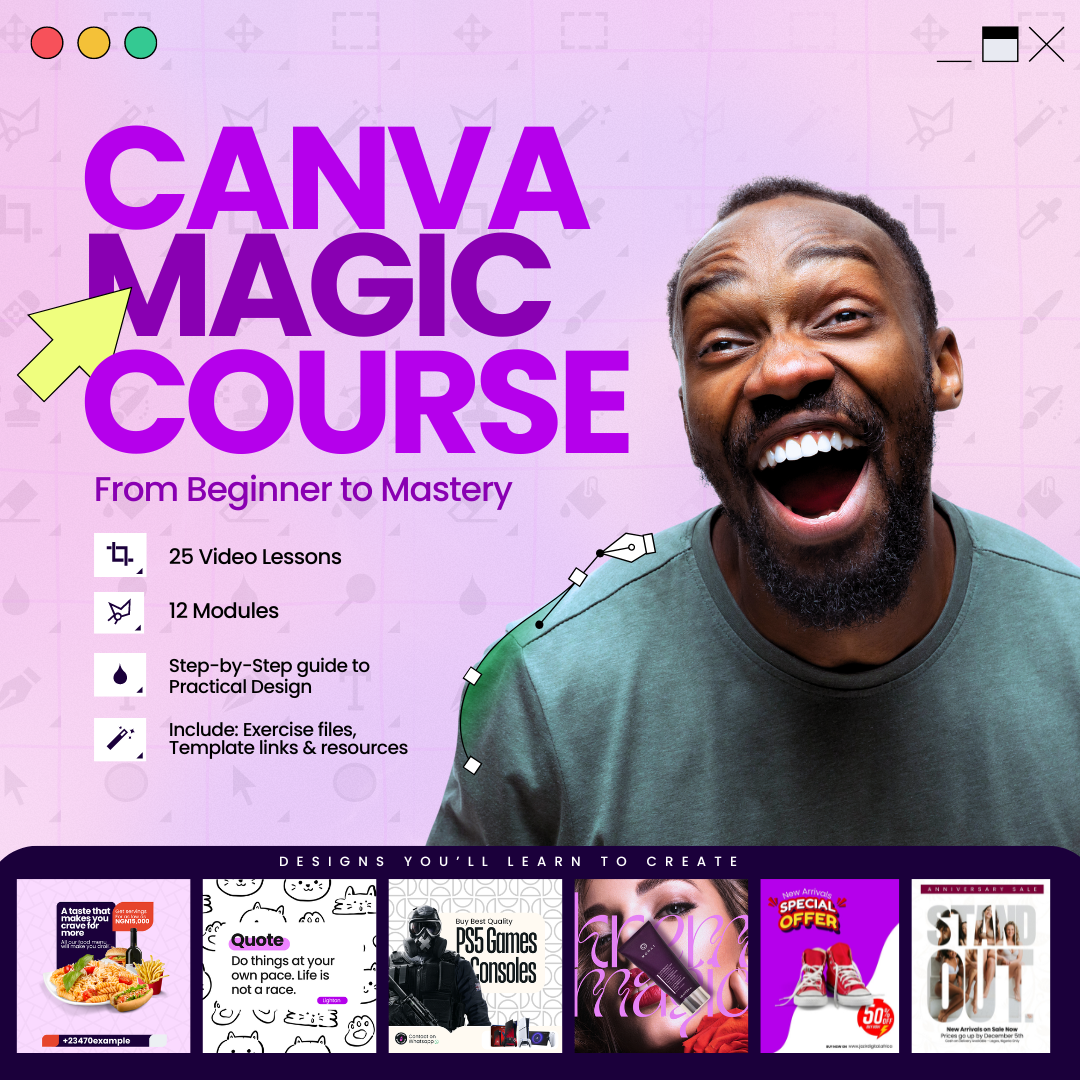
Do you still struggle with designs in 2026? No more! Discover the secrets to boosting your business revenue and doubling your conversion rate by creating irresistible designs. Do you know that business pages with beautiful designs convert more customers than those that don't have great designs? Not even when you can use Canva to design stunning flyers, ads, and visuals for your business to attract more customers.


This Canva Magic course was specially created for business owners, aspiring Graphic Designers or those who want to get better at design
3 Students
27 Lectures
Olaitan Olajobi
Olaitan Olajobi

Instructors

About This Course

Still struggling with design in 2026? This course is built to help you fix that—fast. Graphic Design with Canva is a practical, step-by-step training that shows you how to create professional, scroll-stopping visuals (flyers, ads, social media posts, banners, and more) even if you have zero design background. You will learn the simple design principles that make visuals look premium, then apply them in Canva to produce content that builds trust, attracts attention, and helps convert viewers into paying customers.
You will also learn how strong design connects directly to business results. Great visuals improve brand perception, increase engagement, and can lift conversion rates because customers are more likely to buy from brands that look credible and consistent. In this course, you’ll learn how to design with purpose, creating content for promotions, product launches, events, and everyday marketing, while maintaining a clean, modern brand style that makes your business stand out.

What you’ll learn

  • How to confidently use Canva (from beginner to advanced workflow)
  • Core design principles: layout, spacing, alignment, contrast, and hierarchy
  • Color combinations and font pairing that make designs look professional
  • How to create business visuals: flyers, posters, ads, banners, and social media posts
  • How to build a consistent brand identity (colors, fonts, templates)
  • How to design for conversions (clear messaging, strong CTA, and visual clarity)
  • Exporting correctly for different platforms (Instagram, Facebook, WhatsApp, web)

Who this course is for

  • Business owners and entrepreneurs who want better marketing visuals
  • Social media managers and content creators
  • Beginners who want to learn graphic design without complex software
  • Anyone who wants to create professional designs quickly using Canva

By the end of this course, you’ll be able to:

  • Create high-quality designs that look professional and sell your offer clearly
  • Design faster using templates and a repeatable workflow
  • Produce consistent visuals that strengthen your brand and attract customers

Trusted Companies

+3200 Companies trusted our courses for their staff tutoring
Company Logos

FAQ

Check the frequently asked questions about this course.
Can someone using phone to design buy the course?
Yes they can buy the course but the phone settings and interface will be slightly different from that of PC. The support channel is available so you can always reach out if you face any difficulties.
Do i need a paid canva account to take this course?
A free canva account is sufficient for most of the content course. While Canva Pro offers a wider variety of options, relevant links to free alternatives to the premium features are shared in the course. So this ensures you can complete the course without a paid account.
Is there support available for this course?
Yes, you can use the platform support to reach the tutor directly for guidance.
Who is this course suitable for?
This course is for anyone interested in Graphic Design. For beginners with no design experience, as well as intermediate users looking to improve their Canva skills. Perfect for entrepreneurs, marketers, social media managers, and anyone interested in creating professional-level designs.
Which topics are covered in this course?
The course covers a wide range of topics including: Canva basics and interface navigation Design principles and color theory Creating social media graphics Designing presentations and infographics Branding and logo design Advanced Canva features and shortcuts.
How long does the course take to complete?
The course is self-paced, but typically takes about 2-4 weeks to complete, If you dedicate 2 hours per week to the course and also practise along as you watch the course. You have lifetime access to the course, so you can go through it at your own pace.
Olaitan Olajobi
Olaitan Olajobi
1 Courses
0 Students
Olaitan Olajobi

Premium Plan

Pay 70% upfront and 30% after 30 days, with full course access and priority tutor support.

GH₵250
Total Payment
GH₵175 Upfront
70%
GH₵75 After 30 Days
30%

Classic Plan

Pay 50% upfront and 50% after 21 days, with full course access and standard support.
GH₵250
Total Payment
GH₵125 Upfront
50%
GH₵125 After 21 Days
50%
Curriculum Overview

This course includes 11 modules, 27 lessons, and 0 hours of materials.

Introduction & Setup
6 Parts
Introduction

Welcome to the Canva Magic Course. To get the best out of this course, take each section one after the other without skipping any of the sections.

Volume -
Setting Up

How to get started with Canva, just in case you have not installed it on your device.

Volume -
Interface Part 1

In this video, you will acquaint yourself with Canva interface.

Volume -
Interface Part 2
Volume -
Interface Part 3
Volume -
Interface Part 4
Volume -
Working with templates
1 Parts
Working with Existing Templates

In this episode, we will go through how we can modify existing free templates on Canva to our liking.

Volume -
Design from scratch
2 Parts
Design from scratch part 1

In this episode, we will proceed further to design from scratch without the use of an existing template, so we can build our creative skills as designers.

Volume -
Design from scratch part 2
Volume -
Working with Texts & Fonts
3 Parts
Texts and Fonts Part 1

In this video, we explore different creative ways we can make use of text in our designs and also how fonts can impact our designs.

Volume -
Text and Font Part 2
Volume -
Text and Font Part 3
Volume -
Working with Colors & Color wheel
1 Parts
Working with colors & color wheel

In this episode, we go deeper into how colour is an important part of design. We will also go over its use and the best approach to pick colours to match your design message, and which colours are best suited to use together in a design.

Volume -
Editing Images, Effeccts & Filters
1 Parts
Editing Images, Effects & Filters

In this episode, we will play around with images, filters and adjust to give us what we want in our designs.

Volume -
Business cards & presentation design
1 Parts
Business cards & presentation design

In this episode, we will design Business cards and also go over how to design nice presentations on Canva.

Volume -
Logo Design & Conceptualization
3 Parts
Logo Design & Conceptualization Part 1

In this episode, you will learn how to conceptualise and create a logo. From ideation, to creating samples to choosing the final version.

Volume -
Logo Design & Conceptualization Part 2
Volume -
Logo Design & Conceptualization Part 3
Volume -
Flyer Design & Animation
1 Parts
Flyer Design & Animation

This episode will cover creating amazing flyer designs and also animating them on Canva.

Volume -
Advanced Design Exercises
7 Parts
Advanced Design Exercises Part 1

This video covers advanced flyer design. In this episode, we will design a more complex flyer that will help you grow from just a beginner.

Volume -
Advanced Design Exercises Part 2
Volume -
Advanced Design Exercises Part 3
Volume -
Advanced Design Exercises Part 4
Volume -
Advanced Design Exercises Part5
Volume -
Advanced Design Exercises Part 6
Volume -
Advanced Design Exercises Part7
Volume -
Files and Resources
1 Parts
Design Files and Resources

All the resources you need for this course.

Volume 2000 MB
Certificates
1 Parts
Course Certificate
Course Certificate
If you pass all the lessons in this course, you will receive this certificate.
Type Course Certificate
Reply to Comment
Comments Approval

Your comment will be visible after admin approval.

0
0 Reviews
Content Quality (0)
Instructor Skills (0)
Value for Money (0)
Support Quality (0)
Reply to Review
Submit Reply

Your reply to this review will be visible to all users.

Canva Magic Course - Beginner to Mastery
GH₵250
Pay in Installments

This Course Includes

Downloadable Content
Official Certificate
Instructor Support
Course Forum

Course Specifications

Sections
11
Lessons
27
Capacity
Unlimited
Duration
3:40 Hours
Students
3
Created Date
8 Feb 2026
Updated Date
10 Feb 2026
Jazir Digital
Jazir Digital

Digital marketing & training for small businesses

New User
Junior Vendor
Top Seller

Send Course as Gift

Send as a gift to friends
Canva Magic Course - Beginner to Mastery
You are viewing
Canva Magic Course - Beginner to Mastery